Introduction
If your business runs on spreadsheets held together by hope and VLOOKUPs, you are not alone. Nearly every organization we work with started the same way: a simple spreadsheet to track orders, manage schedules, or monitor inventory. It worked at first. Then it became the backbone of daily operations, and before anyone noticed, the business was dependent on a fragile system that was never designed to carry that weight.
The spreadsheet lifecycle is remarkably predictable. It starts as a quick solution, grows into a critical tool, and eventually turns into a liability. Cells break. Formulas reference the wrong rows. Someone overwrites a formula with a hardcoded number. Two people edit the same file at the same time and one set of changes disappears. The data is technically there, but trusting it becomes an act of faith rather than a matter of fact.
We have helped dozens of businesses make the transition from spreadsheet-based processes to custom applications. The results are consistently dramatic: fewer errors, hours reclaimed every week, and the confidence that comes from knowing your data is accurate and your workflows are reliable.
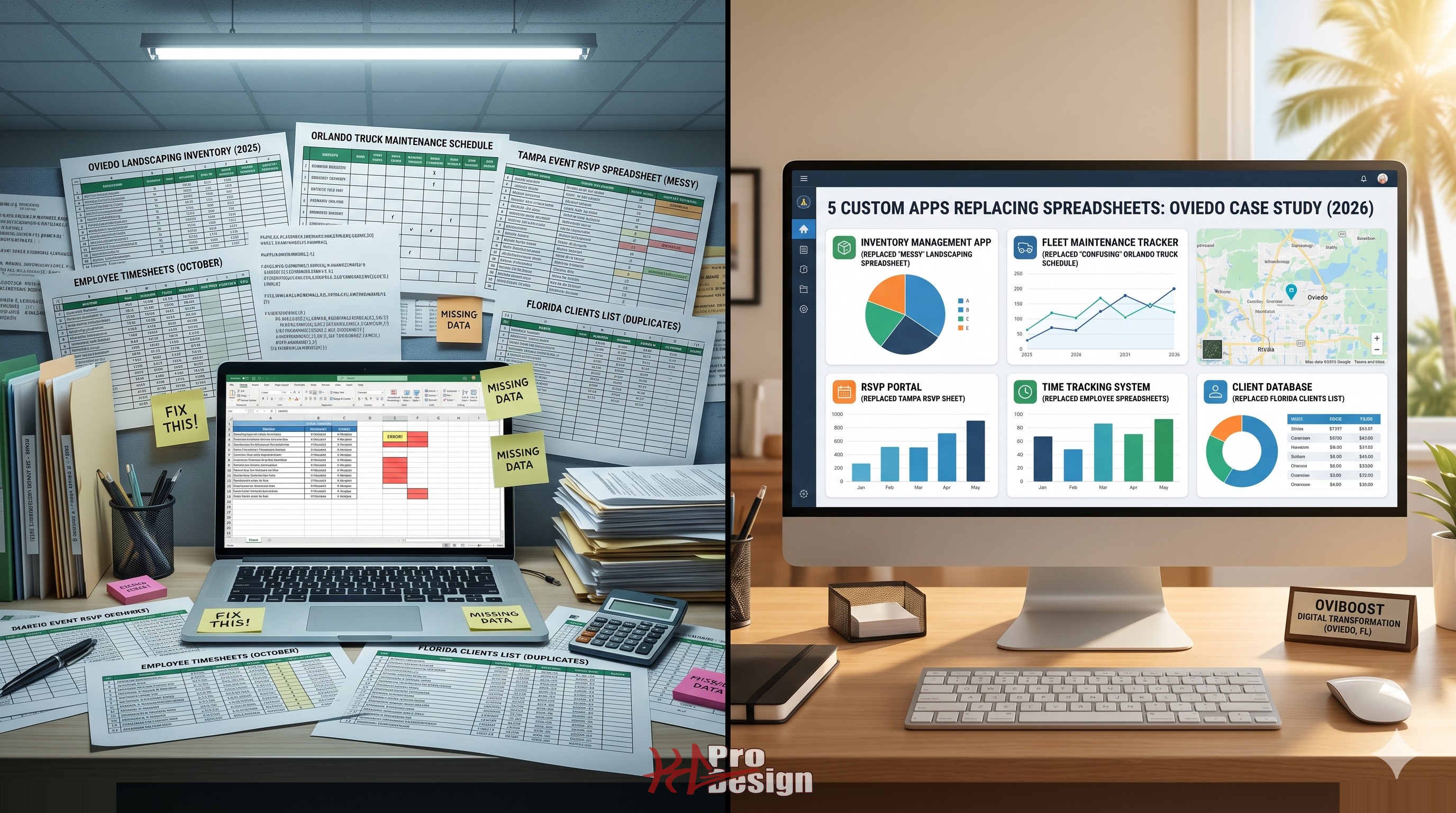
Here are five real scenarios -- anonymized but drawn from actual projects -- that illustrate what that transformation looks like in practice.
The 5 Scenarios
1. Inventory Tracking for a Growing E-Commerce Business
The Problem
A mid-size e-commerce company was managing inventory across three warehouses using fifteen interconnected Google Sheets. Each warehouse manager updated their own sheet, and a master sheet pulled data from all three using IMPORTRANGE formulas. The system broke regularly. Products showed as in stock when they were not. Overselling was a weekly occurrence, leading to refund requests, negative reviews, and strained supplier relationships.
Reorder points were tracked manually. Someone had to check the master sheet every morning and compare counts against a separate sheet of minimum stock levels. If they forgot -- or if the formula was broken -- the team found out about a stockout from an angry customer rather than from an alert.
The Solution
We built a custom inventory management application with real-time synchronization across all warehouse locations. Each warehouse scans items in and out using a mobile-friendly web interface. Stock levels update instantly. When inventory drops below a configurable threshold, the system generates purchase order drafts automatically and notifies the procurement team.
The application also integrates directly with their Shopify storefront, so available inventory on the website reflects actual warehouse counts within seconds rather than hours.
The Result
Overselling dropped by ninety percent within the first month. The procurement team reclaimed approximately eight hours per week that had been spent on manual inventory checks and reconciliation. The company was able to scale to a fourth warehouse location without adding any operational overhead, because the system was designed to handle multi-location operations from the start.
2. Patient Intake for a Multi-Location Healthcare Practice
The Problem
A healthcare practice with four locations was using a triple-entry process for patient intake. Patients filled out paper forms in the waiting room. Front desk staff entered the information into a spreadsheet. Then a different staff member re-entered the same data into the electronic health record system. Each transcription step introduced opportunities for errors, and the spreadsheet containing patient health information was stored on a shared drive with no access controls, no audit logging, and no encryption -- a significant HIPAA compliance risk.
The practice had already received a warning from their compliance officer. They knew the spreadsheet had to go, but they did not know how to replace it without disrupting patient flow.
The Solution
We designed and built a digital intake system that patients can complete on a tablet in the waiting room or on their own phone before arriving. The forms are encrypted in transit and at rest. Data flows directly into the EHR system through a secure API integration, eliminating manual transcription entirely. Access to patient data is role-based, and every access event is logged for HIPAA audit compliance.
The Result
Data entry effort dropped by seventy percent. Transcription errors were virtually eliminated. The practice passed their next HIPAA audit without findings related to data handling, and patient check-in times decreased by an average of four minutes per visit. Staff who had been spending hours on data entry were reassigned to patient-facing responsibilities.
3. Daily Reporting for a Regional Services Company
The Problem
A regional services company with field teams in multiple cities was using a shared spreadsheet to track daily job completions, material usage, and time logs. The spreadsheet had over two hundred rows and was being edited simultaneously by ten to fifteen people throughout the day. Version conflicts were constant. The owner could not trust the numbers for billing because he never knew if the latest data had been saved correctly.
Monthly reporting required a full day of manual work: exporting the spreadsheet, cleaning up inconsistencies, cross-referencing against invoices, and assembling charts by hand for the management team.
The Solution
We built a web application that field technicians access from their phones. They log job completions, upload photos, record material usage, and track time in real time. The system validates entries as they are submitted, so incomplete or inconsistent data is caught immediately rather than discovered during month-end reconciliation.
The reporting dashboard generates real-time charts and summaries that the management team can view at any time. Monthly reports that previously required a full day of manual assembly are now generated with a single click.
The Result
The owner went from spending one full day per month on reporting to reviewing an always-current dashboard whenever he needed it. Data accuracy improved dramatically because entries are validated at the point of capture. Billing disputes decreased because the company could provide timestamped, photo-documented job records. The team estimated the application saved approximately twelve hours per week across the organization.
4. Sales Pipeline for a B2B Services Firm
The Problem
A B2B consulting firm was tracking their entire sales pipeline in Google Sheets. Leads came in through the website, email, referrals, and networking events, and a salesperson would manually add each one to the spreadsheet. Follow-up reminders did not exist -- salespeople had to scroll through the sheet and check dates to determine who needed a call. Leads fell through the cracks regularly. The sales manager could not generate accurate pipeline reports because the data was inconsistently entered and rarely updated in real time.
The firm had evaluated off-the-shelf CRM platforms, but the ones that fit their workflow were expensive, and the affordable ones required so much customization that the team ended up back in the spreadsheet anyway.
The Solution
We built a custom CRM tailored to their specific sales process. Leads from the website flow in automatically. The system sends automated follow-up reminders based on configurable rules. Email sequences are triggered based on pipeline stage, so prospects receive timely, relevant communication without manual effort. The sales manager has a real-time dashboard showing pipeline value, conversion rates, and team activity.
The application integrates with their automation and AI tools to score leads based on engagement signals, helping the team prioritize their time on the most promising opportunities.
The Result
Follow-up consistency improved by forty percent. The team closed twenty-five percent more deals in the first quarter after launch, attributable primarily to leads no longer slipping through the cracks. The sales manager went from spending two hours per week manually assembling pipeline reports to simply opening the dashboard.
5. Staff Scheduling for a Restaurant Group
The Problem
A restaurant group with three locations was creating weekly staff schedules in a spreadsheet. The general manager spent five or more hours every week building schedules, accounting for availability, time-off requests, and labor regulations. Shift swap requests came in via text messages, which the manager had to process manually. Scheduling conflicts -- two people assigned to the same station, or a shift assigned to someone who had requested that day off -- happened almost every week.
The spreadsheet also had no integration with payroll, so hours had to be manually transcribed into the payroll system every two weeks, introducing another opportunity for errors.
The Solution
We developed a scheduling application that allows the manager to build schedules visually, with availability constraints applied automatically. Staff members can view their schedules, request time off, and propose shift swaps through a mobile interface. The manager approves or denies swaps with a single tap. The system flags conflicts before the schedule is published, and it integrates with the group's payroll provider for automatic time tracking.
The Result
Scheduling time dropped from five-plus hours to approximately one hour per week. Scheduling conflicts decreased by fifty percent. Staff satisfaction improved because they could manage their schedules from their phones rather than calling or texting the manager. Payroll processing became significantly faster and more accurate.
The Spreadsheet Danger Zone: When to Migrate
Not every spreadsheet needs to become a custom application. Simple tracking sheets used by one or two people may serve their purpose indefinitely. But there are clear warning signs that a spreadsheet has entered the danger zone:
- More than three people edit the same sheet regularly. Concurrent editing in spreadsheets is unreliable at best. Data loss and version conflicts are inevitable.
- The spreadsheet contains business-critical data without a backup strategy. If losing the data would disrupt operations, a spreadsheet is not an appropriate data store.
- Manual processes exist that should be automated. If someone spends time every day doing something a computer could do instantly, the process is a candidate for automation.
- Compliance requirements apply to the data. HIPAA, SOC 2, PCI-DSS, and other regulatory frameworks have requirements around access controls, audit logging, and encryption that spreadsheets simply cannot meet.
- You have built formulas so complex that only one person understands them. That person is a single point of failure. When they leave, the spreadsheet becomes an opaque black box.
If any of these apply to your situation, it is worth exploring what a purpose-built application could do for your team.
How to Plan a Spreadsheet-to-App Migration
The most important step in migrating from spreadsheets to a custom application is understanding your workflows, not just your data. A spreadsheet replacement that simply replicates the same columns in a database misses the point. The goal is to improve the process, not just change the container.
Here is the approach we recommend:
Document the current workflow end to end. Walk through every step from data entry to final output. Note who does what, when, and why. Identify the pain points, the workarounds, and the steps that exist only because of spreadsheet limitations.
Prioritize by business impact. Not every process needs to be migrated at once. Start with the one that causes the most pain, costs the most time, or carries the most risk. A phased approach reduces disruption and lets you validate the approach before scaling it.
Plan for data migration. Years of data in spreadsheets have value, but they also have inconsistencies. Budget time for cleaning, validating, and importing historical data into the new system.
Build for growth. The whole reason you are moving off spreadsheets is that they did not scale. Make sure your custom application is designed to handle not just your current volume, but where you expect to be in two to three years.
Our software development team specializes in exactly this type of migration. We have taken businesses from fragile spreadsheet systems to robust, scalable applications across industries including healthcare, retail, construction, and professional services.
Conclusion
Spreadsheets are brilliant tools for exploration, quick analysis, and small-scale tracking. They are terrible tools for running business-critical operations at scale. Every example in this article follows the same pattern: a spreadsheet that worked fine at first, grew beyond its design limits, and was eventually replaced by a custom application that delivered measurable improvements in accuracy, efficiency, and peace of mind.
If you recognized your own situation in any of these scenarios, the question is not whether to migrate but when. The longer a business-critical process runs on a fragile spreadsheet, the greater the risk of a costly failure.
If you have read this far and are nodding along, you might also find value in our article on the top 10 signs your business needs custom software, which covers the broader signals that it may be time to invest in purpose-built solutions.
Ready to Replace the Spreadsheets?
At KG ProDesign, we help businesses move from fragile, error-prone spreadsheet processes to reliable custom applications that scale with growth. We start with your workflows, not your data model, and we build solutions designed to last.
Contact us to discuss your project, or explore our packages to find the right fit for your business.