Introduction
React remains the dominant library for building user interfaces in 2026, but React itself is just the foundation. The framework you wrap around it determines your application's architecture, performance characteristics, deployment model, and long-term maintainability. Choosing the wrong framework for an enterprise project is an expensive mistake that often does not surface until months into development, when changing course means rewriting significant portions of the codebase.
The React ecosystem has matured considerably since we wrote about building scalable React applications. Server Components are now a production reality rather than an experiment. The lines between web and mobile have blurred further. Some frameworks have consolidated their positions as enterprise staples while others have carved out distinct niches.
This article compares five frameworks through the lens of enterprise application development -- not personal projects, not tutorials, but real production systems with demanding requirements around performance, security, maintainability, and team scalability. We evaluate each against criteria that matter to businesses making technology decisions with long-term consequences.
Evaluation Criteria
Before comparing frameworks, we need to establish what matters for enterprise applications. Our evaluation is based on five criteria drawn from eighteen years of building production systems:
- Server-side rendering and data loading. Enterprise applications often need SEO, fast initial loads, and secure server-side data fetching. How does the framework handle rendering strategies?
- Developer experience and tooling. How productive is a team of five to twenty developers using this framework daily? What do onboarding, debugging, and testing look like?
- Performance and bundle size. What is the baseline cost of the framework itself, and how well does it support code splitting, lazy loading, and optimization at scale?
- Enterprise adoption and community support. Is this framework battle-tested at scale? Can you hire developers who know it? Will it be maintained in three years?
- TypeScript integration. Enterprise codebases require strong typing for maintainability. How deeply and naturally does the framework support TypeScript?
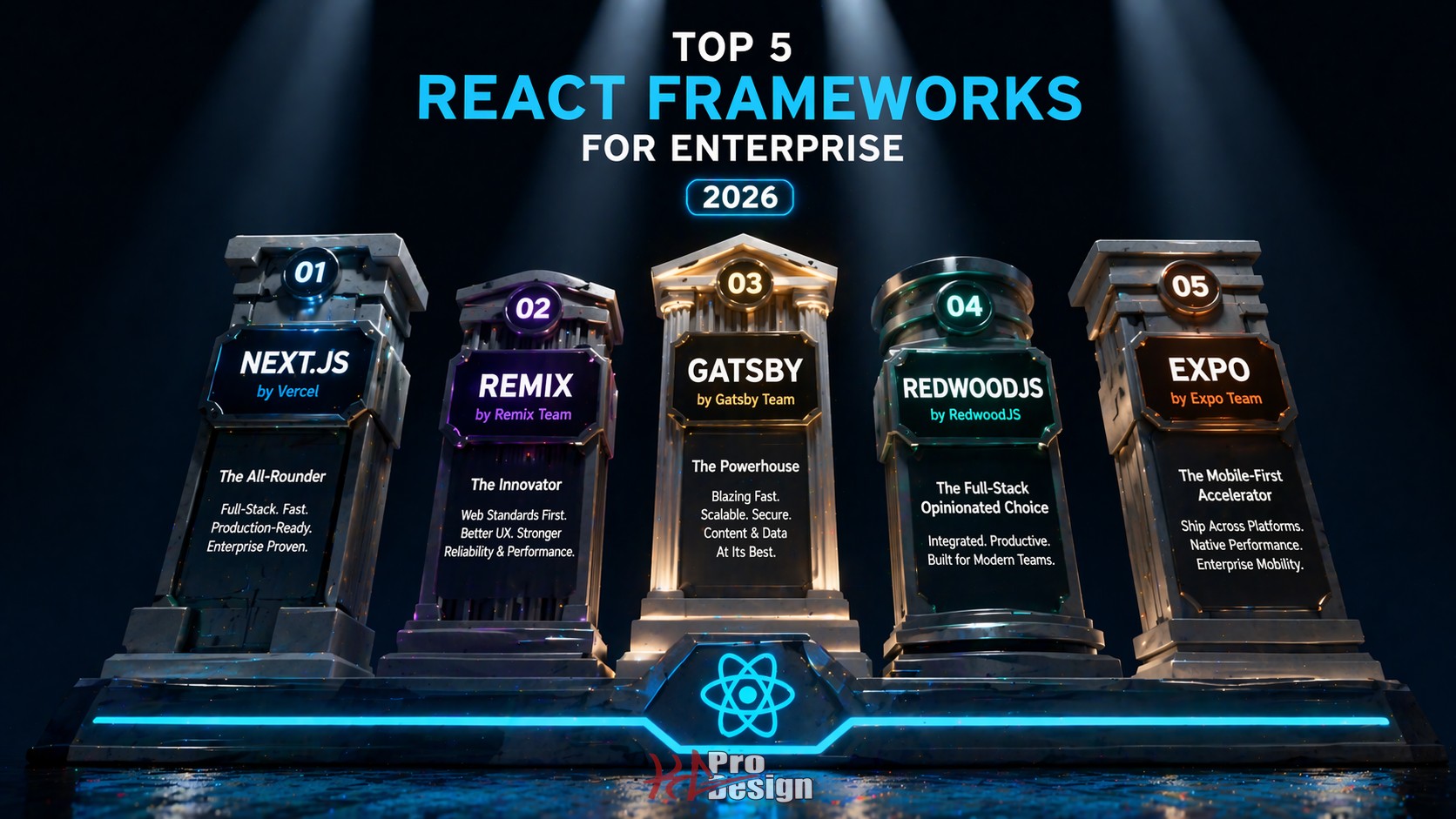
The 5 Frameworks
1. Next.js (App Router)
Next.js has become the default choice for full-stack React applications, and the App Router architecture -- now fully stable -- represents a significant evolution in how React applications are structured.
Strengths:
- React Server Components (RSC) as a first-class feature. Server Components allow you to run React components on the server, eliminating client-side JavaScript for data-fetching and rendering logic. For enterprise applications with complex data requirements, this translates to dramatically smaller client bundles and faster initial loads.
- Middleware and edge functions. Authentication checks, A/B testing, geolocation-based routing, and request transformation can happen at the edge before a page even renders. This is powerful for enterprise applications with complex access control requirements.
- Comprehensive rendering strategies. Static generation, server-side rendering, incremental static regeneration, and client-side rendering are all available within the same application. Different pages can use different strategies based on their requirements.
- Vercel ecosystem. Image optimization, font loading, analytics, and deployment are tightly integrated and work well out of the box.
Weaknesses:
- Complexity. The App Router introduces concepts like Server Components, Server Actions, route groups, parallel routes, and intercepting routes. The learning curve is steep, and the mental model is fundamentally different from traditional React development.
- Vercel affinity. While Next.js can be deployed anywhere, many features work best on Vercel's platform. Self-hosting requires additional infrastructure configuration, and some optimizations are Vercel-specific.
- Bundle size considerations. The framework itself adds overhead. For applications that do not need SSR or server-side features, that overhead may not be justified.
Best for: Full-stack web applications that need SEO, server-side data fetching, and API routes within a single deployment. Marketing sites with dynamic content. Applications where initial load performance is critical for user acquisition.
Enterprise adoption: Very high. Netflix, Hulu, Nike, and hundreds of enterprise companies run production applications on Next.js. The talent pool is deep and growing.
2. Remix (React Router v7)
Remix merged with React Router in late 2024, and the combined framework -- often still referred to as Remix -- has matured into a compelling alternative to Next.js with a distinctly different philosophy.
Strengths:
- Web standards alignment. Remix leans heavily on native web APIs: the Fetch API, FormData, HTTP caching headers, and progressive enhancement. Applications built on these standards tend to be more resilient and portable.
- Nested routing and data loading. Remix's route-based data loading model is elegant. Each route segment loads its own data in parallel, and the framework handles loading states, error boundaries, and revalidation automatically. For enterprise applications with complex, nested UIs, this pattern reduces boilerplate dramatically.
- Progressive enhancement. Forms work without JavaScript. Navigation works without JavaScript. The application degrades gracefully, which matters for enterprise applications that need to function in constrained environments.
- No vendor lock-in. Remix runs on any standard Node.js server, Deno, Cloudflare Workers, or traditional hosting environments. There is no platform-specific optimization that ties you to a particular vendor.
Weaknesses:
- Smaller ecosystem. Fewer tutorials, fewer community plugins, and fewer Stack Overflow answers compared to Next.js. Enterprise teams may need to solve problems that the Next.js community has already documented.
- Fewer hosting-specific optimizations. Because Remix does not optimize for a specific platform, you may need to configure caching, image optimization, and edge behavior manually.
- React Server Components. Remix's RSC support is evolving but not as mature as Next.js's implementation. Teams that need RSC today will find a more complete experience in Next.js.
Best for: Data-heavy applications with complex forms, mutations, and validation. Applications where progressive enhancement and web standards matter. Teams that prioritize portability over platform-specific optimization.
Enterprise adoption: Growing steadily. Shopify's adoption of Remix for their Hydrogen storefront framework validated the framework for large-scale e-commerce. The React Router foundation means millions of developers are already familiar with core concepts.
3. Vite + React (SPA)
Vite with React is not a framework in the traditional sense -- it is a build tool paired with a library. But for a significant category of enterprise applications, this combination is exactly the right choice. This is what we used to build the site you are reading right now.
Strengths:
- Lightning-fast development experience. Vite's Hot Module Replacement (HMR) is nearly instantaneous regardless of application size. For large codebases, this alone justifies the choice. Developers who have experienced multi-second HMR delays in other frameworks understand how much this matters for productivity.
- Simple mental model. There is no server-side rendering, no hydration mismatches, no server/client component boundaries to manage. The application is a single-page application that runs entirely in the browser. For applications behind authentication where SEO is irrelevant, this simplicity is a feature, not a limitation.
- Maximum flexibility. No opinions about routing, data fetching, or state management. You choose the libraries that fit your specific requirements. For enterprise teams with established patterns and conventions, this flexibility is valuable.
- Excellent TypeScript support. Vite's TypeScript integration is fast and seamless. Type checking, path aliases, and compilation are well-configured out of the box.
Weaknesses:
- No server-side rendering. SEO requires additional solutions. Public-facing pages that need to be indexed by search engines are not well-served by a pure SPA architecture.
- Routing and data fetching are your responsibility. You need to choose and configure these yourself. React Router, TanStack Router, TanStack Query, SWR -- the choices are yours, but so is the integration work.
- No built-in API layer. If you need server-side endpoints, you need a separate backend or a serverless function layer.
Best for: Internal tools, admin dashboards, client portals, and any application that lives behind authentication. Applications where development speed and simplicity are more valuable than SEO or server-side rendering.
Enterprise adoption: High for internal tooling. Many enterprise engineering teams use Vite + React for internal dashboards, admin panels, and operational tools where SEO is irrelevant and development velocity is paramount.
4. React Native
React Native extends the React paradigm to native mobile application development, and its relevance to enterprise React strategy has only increased as businesses demand consistent experiences across web and mobile platforms.
Strengths:
- True native performance. React Native renders to actual native components, not a web view. The resulting applications are indistinguishable from those built with Swift or Kotlin in terms of performance and user experience.
- Shared business logic with web applications. Enterprise teams building both web and mobile applications can share TypeScript types, validation logic, API clients, and business rules across platforms. This reduces duplication and ensures consistency.
- Large and active community. React Native powers major applications at Meta, Microsoft, Amazon, and hundreds of other enterprises. The talent pool is substantial, and the ecosystem of third-party libraries is mature.
- New Architecture. The New Architecture, now the default, eliminates the asynchronous bridge that was historically React Native's primary performance bottleneck. Direct synchronous access to native APIs makes complex animations and interactions significantly smoother.
Weaknesses:
- Platform-specific knowledge still required. While React Native abstracts much of the platform layer, enterprise applications inevitably need platform-specific code for features like push notifications, biometric authentication, camera access, and deep linking. Your team needs at least some iOS and Android expertise.
- Debugging complexity. Debugging spans the JavaScript runtime, the native bridge, and platform-specific code. The tooling has improved dramatically, but it remains more complex than debugging a web application.
- App store dependency. Distribution through Apple and Google's app stores introduces review cycles, compliance requirements, and update latency that web applications do not have.
Best for: Enterprise applications that need native mobile presence alongside web applications. Companies with existing React web teams that want to extend to mobile without building separate iOS and Android teams. Applications requiring device capabilities like cameras, sensors, offline storage, and push notifications.
Enterprise adoption: Very high. Meta, Microsoft (Office, Outlook, Teams components), Amazon, and Shopify use React Native in production. The framework handles billions of users daily.
5. Expo
Expo builds on top of React Native to provide a managed development and deployment experience that dramatically reduces the complexity of mobile application development. It has evolved from a beginner-friendly wrapper into a legitimate enterprise platform.
Strengths:
- Managed workflow. Expo handles native build configuration, signing, and distribution. Developers write TypeScript and Expo handles the compilation to iOS and Android binaries. For enterprise teams that do not want to maintain Xcode and Android Studio environments, this is transformative.
- Expo Router. File-system-based routing for React Native, directly inspired by Next.js. This brings familiar patterns from the web to mobile development, including nested layouts, dynamic routes, and deep linking configuration that works on both platforms automatically.
- Over-the-air updates (EAS Update). Push JavaScript-level updates to production applications without going through app store review. For enterprise applications where bug fixes and feature updates need to reach users quickly, this capability is critical.
- Universal applications. Expo supports web targets alongside iOS and Android from a single codebase. While the web output is not as optimized as a purpose-built web framework, it enables rapid prototyping and code sharing across all platforms.
Weaknesses:
- Native module limitations. While Expo has expanded its native module support dramatically with Expo Modules API and Config Plugins, some highly specialized native integrations may still require ejecting from the managed workflow.
- Build service dependency. EAS Build runs in Expo's cloud infrastructure. While local builds are possible, the managed experience is designed around their build service, which adds a dependency and cost for high-volume build pipelines.
- Performance ceiling. For applications requiring the most demanding native performance -- real-time video processing, complex 3D rendering, low-level hardware access -- the Expo abstraction layer may introduce limitations compared to bare React Native or fully native development.
Best for: Enterprise mobile applications where development velocity is prioritized. Teams with strong web React skills that are extending to mobile. Applications that benefit from rapid deployment cycles through OTA updates. Companies building on multiple platforms simultaneously.
Enterprise adoption: Growing rapidly. Expo's enterprise customer base has expanded significantly, and EAS (Expo Application Services) is designed specifically for teams with production deployment requirements.
Decision Matrix
| Criteria | Next.js | Remix | Vite + React | React Native | Expo |
|---|---|---|---|---|---|
| SSR/SSG | Excellent | Strong | None | N/A | N/A (web: basic) |
| Developer Experience | Good | Good | Excellent | Good | Excellent |
| Performance | Very Good | Very Good | Good (client) | Excellent (native) | Very Good (native) |
| Enterprise Readiness | Excellent | Good | Good | Excellent | Good |
| TypeScript | Excellent | Excellent | Excellent | Excellent | Excellent |
| Learning Curve | Steep | Moderate | Low | Moderate | Low-Moderate |
| Platform | Web | Web | Web | iOS/Android | iOS/Android/Web |
| Deployment Flexibility | Moderate | High | High | App Stores | App Stores + OTA |
What We Use and Why
At KG ProDesign, we do not believe in one-size-fits-all framework decisions. The right choice depends on the specific requirements of each project, and we have production experience with all five frameworks on this list.
Our general approach:
- Vite + React for client portals, admin dashboards, and internal tools where SEO is not a factor and development velocity matters most. This project -- kgprodesign.com -- is built with Vite + React.
- Next.js for public-facing applications where SEO, server-side rendering, and initial load performance directly impact business outcomes.
- Remix for data-intensive applications with complex form workflows, where progressive enhancement and web standards alignment reduce edge-case bugs.
- React Native and Expo for clients who need mobile applications alongside their web platforms, especially when code sharing between web and mobile reduces development and maintenance costs.
The commonality across all of these is React and TypeScript. Regardless of which framework we use, the component patterns, state management approaches, and TypeScript practices remain consistent. This is a deliberate architectural decision: by standardizing on React and TypeScript as the foundation, we can move developers between projects and share code across platforms without retraining.
For a deeper look at how we think about technology decisions, see our article on choosing the right technology stack, which covers the broader decision framework beyond just React.
Conclusion
The React ecosystem in 2026 offers genuinely excellent options across a range of use cases. The frameworks on this list are not competing for the same niche -- they serve different requirements, and understanding those differences is the key to making a sound technology decision.
For enterprise teams, the decision should be driven by three questions: What platform does our application target? Does it need server-side rendering? And what is our team's existing expertise? The answers to these questions will narrow the list to one or two clear contenders.
The worst outcome is choosing a framework because it is popular rather than because it fits your requirements. Next.js is excellent, but it is overkill for an internal admin dashboard. Vite + React is fast and simple, but it is the wrong choice for a content-heavy public website that needs search engine visibility. React Native is powerful, but it adds complexity you do not need if your application is web-only.
Choose the tool that fits the job, invest in TypeScript across the board, and build for the long term.
Ready to Choose the Right Framework?
At KG ProDesign, we help enterprise teams select and implement the right React architecture for their specific requirements. We bring production experience with all five frameworks discussed in this article and a pragmatic approach to technology decisions.
Contact us to discuss your project, or explore our software development services to learn how we approach enterprise application architecture.