Introduction
HIPAA violations are not abstract risks. They carry penalties ranging from $141 per violation to over $2.1 million per violation category per year, depending on the level of negligence, and the Department of Health and Human Services has increased enforcement actions significantly over the past several years. For healthcare organizations, a website is not just a marketing asset -- it is a potential compliance liability.
The challenge is that many healthcare websites unknowingly violate HIPAA. A standard contact form that collects a patient's name, email, and reason for their visit is transmitting protected health information (PHI) over channels that may not be encrypted or stored securely. Analytics tools track user behavior on pages that reveal health conditions. Chat widgets route conversations through servers without Business Associate Agreements. Each of these is a violation waiting to be discovered.
We have built and audited healthcare websites for practices ranging from single-provider clinics to multi-location health systems. The same gaps appear repeatedly. This article outlines the eight features that every healthcare website must have -- not as optional enhancements, but as non-negotiable requirements for HIPAA compliance.
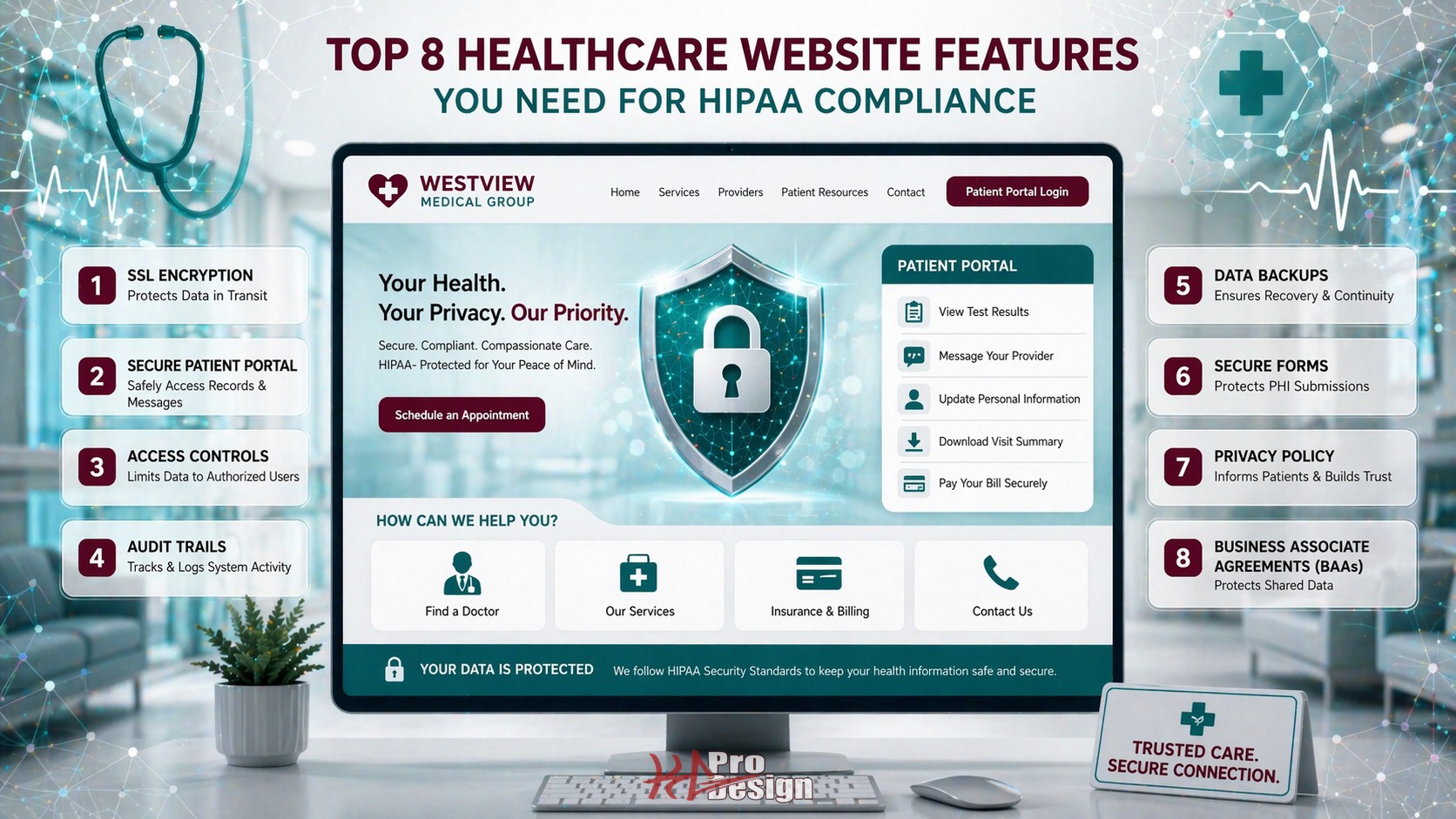
The 8 Essential Features
1. End-to-End Encryption (TLS/SSL)
Having an HTTPS padlock in the browser is necessary but not sufficient. HIPAA requires that all PHI transmitted electronically be encrypted in transit, and the implementation details matter.
What proper encryption looks like:
- TLS 1.2 or higher enforced across all pages, not just forms. Older protocols like TLS 1.0 and 1.1 have known vulnerabilities and should be disabled entirely.
- HTTP Strict Transport Security (HSTS) headers configured to prevent downgrade attacks. This ensures that even if a user types an HTTP URL, the browser upgrades to HTTPS automatically.
- Certificate management automated so that certificates never expire unexpectedly. An expired certificate means unencrypted traffic, which means unprotected PHI.
- Mixed content eliminated. A single image or script loaded over HTTP on an otherwise HTTPS page can create a vulnerability. Every resource -- images, fonts, scripts, stylesheets -- must be served over HTTPS.
This is the foundation. Without properly configured encryption, none of the other features on this list matter because the data is exposed in transit regardless.
2. HIPAA-Compliant Contact and Intake Forms
Standard web forms are one of the most common HIPAA violations we encounter. A typical contact form collects a name, email address, and a message field where patients often describe their symptoms or conditions. That message is PHI, and if it is transmitted via unencrypted email to the practice or stored in a database without access controls, the practice is in violation.
Compliant form implementation requires:
- Server-side encryption of all form submissions, both in transit and at rest. Submissions should be stored in encrypted databases with access restricted to authorized personnel.
- No PHI via standard email. Form submissions should not be forwarded as plain-text email to staff inboxes. If email notification is used, it should contain a link to a secure portal where the submission can be viewed -- not the submission content itself.
- A Business Associate Agreement (BAA) with the form processing provider. If you use a third-party form service, that service is handling PHI and must sign a BAA. Many popular form tools do not offer BAAs, which means they cannot be used for healthcare forms.
- Data retention policies that define how long submissions are stored and when they are purged. HIPAA does not require indefinite retention of contact form data.
The safest approach is to build custom form handling on HIPAA-compliant infrastructure rather than relying on third-party form services that may or may not meet compliance requirements.
3. Secure Patient Portal
If your website offers any patient-facing functionality -- appointment scheduling, messaging, document access, billing -- it must be protected by enterprise-grade authentication and access controls.
Patient portal requirements:
- Multi-factor authentication (MFA) for patient login. Username and password alone are insufficient. SMS-based codes, authenticator apps, or email verification add a critical second layer.
- Session management and automatic timeout. Sessions should expire after a configurable period of inactivity. This prevents unauthorized access if a patient leaves their device unattended.
- Audit logging of every action within the portal. Every login, document view, message sent, and data access must be recorded with timestamps and user identification.
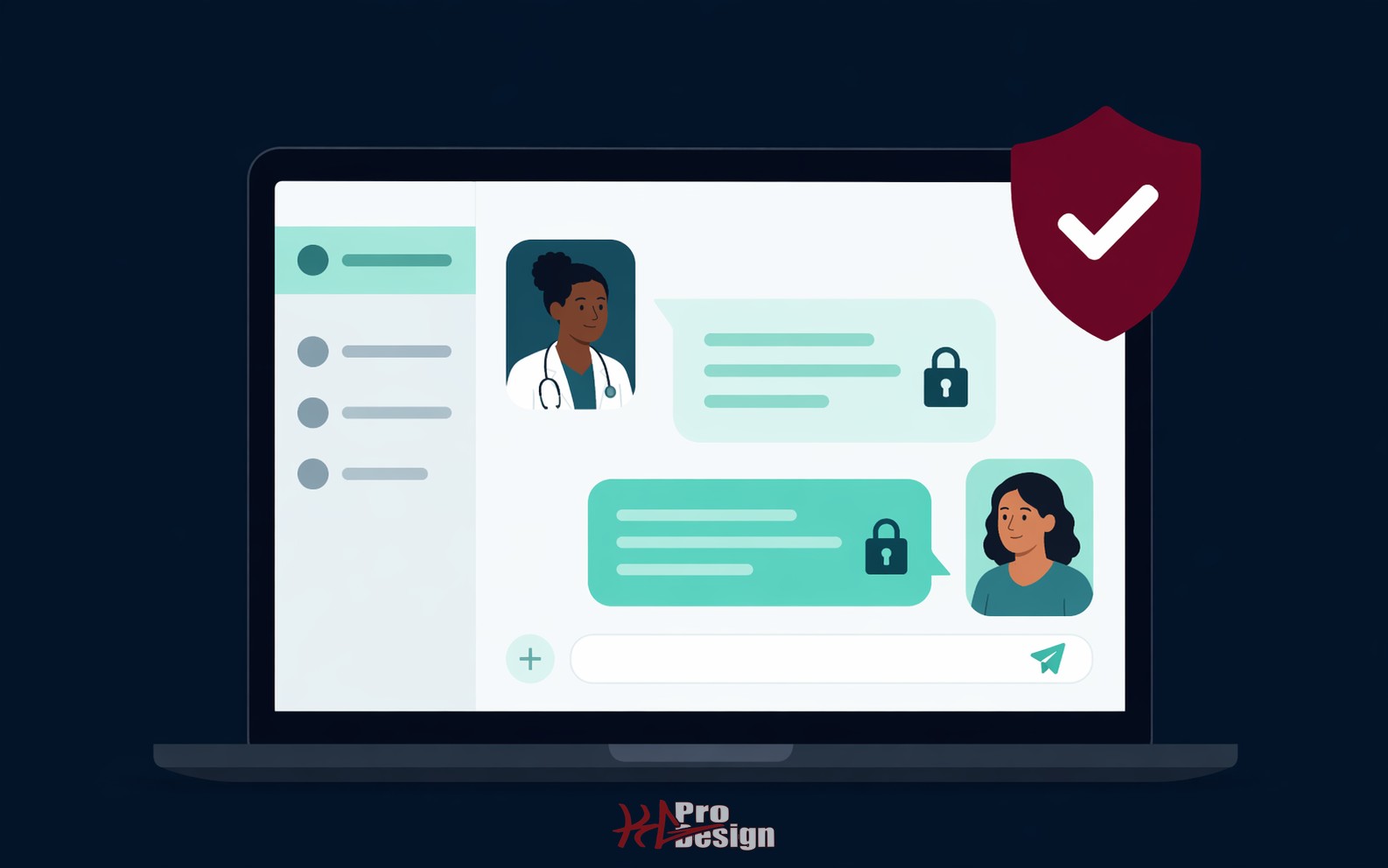
- Secure messaging that keeps all communication within the portal rather than routing through email. Messages between patients and providers should be encrypted and stored within the HIPAA-compliant infrastructure.
We built a HIPAA-compliant messaging platform for a healthcare provider that handles exactly these requirements -- secure messaging, audit trails, and encrypted data storage -- as a reference implementation for what a compliant portal looks like in practice.
4. Business Associate Agreements (BAAs) with All Vendors
Every third-party service that touches, transmits, or stores PHI on behalf of a covered entity must sign a Business Associate Agreement. This is one of the most frequently overlooked requirements, because healthcare practices often do not realize how many of their website tools interact with patient data.
Vendors that commonly require BAAs:
- Hosting providers. Your web host stores your application and potentially your database. Major cloud providers like AWS, Google Cloud, and Azure offer BAAs, but you must explicitly activate HIPAA-eligible services and sign the agreement.
- Email services. If any email sent through your website could contain PHI, the email provider needs a BAA. Standard Gmail or Outlook accounts are not sufficient.
- Analytics platforms. If your analytics tool captures URLs, search queries, or user behavior that could reveal health information, the provider needs a BAA.
- Chat and messaging widgets. Live chat tools process conversations in real time through their servers. If patients discuss health concerns in chat, the provider is a business associate.
Red flags -- vendors that typically do NOT sign BAAs:
- Most free-tier form builders
- Standard social media tracking pixels
- Many popular live chat widgets
- Free email marketing platforms
If a vendor will not sign a BAA, they cannot be used on pages where PHI might be captured or transmitted. It is that straightforward.
5. Access Controls and Authentication
HIPAA's Security Rule requires that access to PHI be limited to authorized individuals who need it to perform their job functions. On a healthcare website, this translates to robust access controls for any administrative or staff-facing functionality.
Implementation requirements:
- Role-based access control (RBAC). Not everyone who logs into the website backend needs access to patient data. Administrative staff, billing personnel, clinical staff, and IT administrators should each have access only to the information and functions relevant to their role.
- Strong password policies. Minimum length, complexity requirements, and regular rotation. Password reuse should be prevented by maintaining a hash history.
- IP allowlisting for administrative access. Restricting admin login to known IP addresses (office networks, VPN endpoints) dramatically reduces the risk of unauthorized access.
- Account lockout policies. After a configurable number of failed login attempts, accounts should be temporarily locked to prevent brute-force attacks.
- Unique user identification. Every person who accesses the system must have a unique login. Shared accounts make audit trails meaningless and are a HIPAA violation.
6. Audit Trail and Activity Logging
HIPAA requires covered entities to maintain records of who accessed PHI, when, and what they did with it. This is not optional, and "we trust our staff" is not a compliance strategy.
Audit logging must capture:
- Authentication events. Every login attempt (successful or failed), logout, and session expiration.
- Data access events. Every time a record containing PHI is viewed, created, modified, or deleted, the action must be logged with the user ID, timestamp, and details of what was accessed.
- Administrative actions. Changes to user permissions, system configuration, and security settings.
- Export and download events. Any time data is exported, downloaded, or printed.
Critical characteristics of compliant audit logs:
- Tamper-proof storage. Logs should be written to append-only storage or a separate logging service that application users cannot modify or delete.
- Retention policies. HIPAA requires audit logs to be retained for a minimum of six years. Your logging infrastructure must support long-term storage.
- Regular review. Logs are only useful if someone reviews them. Establish a schedule for reviewing access patterns and flagging anomalies. Automated alerting for suspicious patterns (access outside business hours, bulk data exports, failed login spikes) adds another layer of protection.
7. HIPAA-Compliant Analytics
Standard web analytics implementations are a hidden HIPAA risk on healthcare websites. The problem is subtle: analytics tools capture URLs, page titles, search queries, and user navigation patterns. On a healthcare website, this data can constitute PHI.
Consider these scenarios:
- A URL like
/doctors/oncology/appointment?condition=lung-cancerreveals a patient's health condition to the analytics provider. - A search query for "diabetes management" on the patient portal ties health information to a trackable user session.
- Page navigation showing that a user visited the HIV testing page, then the insurance page, then the appointment page creates an inferred health record.
Compliant analytics implementation:
- Anonymize IP addresses in all analytics data. Most modern analytics platforms support this, but it must be explicitly enabled.
- Exclude patient portal pages from analytics tracking entirely. There is no legitimate marketing reason to track authenticated patient behavior, and doing so creates compliance risk with minimal benefit.
- Avoid capturing URL parameters that might contain health information. Configure your analytics tool to strip query parameters from tracked URLs.
- Consider server-side analytics as an alternative to client-side tracking. Server-side implementations give you full control over what data is captured and where it is stored.
- No social media pixels on any page where PHI might be present. Facebook, Instagram, and LinkedIn tracking pixels send user data to third-party servers, and these platforms do not sign BAAs.
The safest approach is to implement analytics only on public-facing marketing pages and exclude all authenticated or patient-facing sections entirely.
8. Data Backup and Disaster Recovery
The HIPAA Security Rule requires covered entities to establish procedures for creating and maintaining retrievable exact copies of electronic PHI. A website that stores or processes patient data must have a documented and tested backup and recovery plan.
Backup requirements:
- Encrypted backups. Backup data must be encrypted at rest using strong encryption standards. Unencrypted backups stored on a removable drive or in an unsecured cloud location are violations in themselves.
- Geographic redundancy. Backups should be stored in a physically separate location from the primary data. Cloud-based backups in a different availability zone or region satisfy this requirement.
- Regular backup schedule. The frequency depends on how often data changes. For active healthcare websites with patient portals, daily backups are the minimum. Transaction-critical systems may require more frequent snapshots.
- Tested restoration procedures. A backup that has never been tested is not a backup -- it is an assumption. Restoration should be tested on a regular schedule (quarterly at minimum) and the results documented.
- Documented recovery time objectives (RTO) and recovery point objectives (RPO). The practice needs to know how quickly the system can be restored and how much data could potentially be lost. These metrics inform the backup frequency and infrastructure investment.
Common HIPAA Website Violations
Beyond the eight features above, here are the most common violations we see when auditing healthcare websites:
- Unencrypted contact forms collecting health information. The most prevalent violation. Patients describe symptoms in the message field, and the form sends it as plain-text email.
- Chat widgets without BAAs. Practices add live chat to improve engagement without realizing the chat provider is processing PHI.
- Analytics tracking on patient portal pages. Standard Google Analytics configured site-wide, including authenticated sections where users interact with their health data.
- Social media pixels on healthcare-specific pages. Retargeting pixels on pages about specific conditions or treatments create inferred health records in advertising platforms.
- Embedded third-party calendars without BAAs. Appointment scheduling widgets that route data through non-compliant third-party servers.
- Uncontrolled admin access. A single shared login for the website backend, making audit trails impossible.
Each of these represents a real compliance risk that we have identified and remediated for healthcare clients.
Building a HIPAA-Compliant Website
The most important principle in building a compliant healthcare website is to start with compliance rather than bolting it on later. Retrofitting security and compliance into an existing website is significantly more expensive and error-prone than building it into the architecture from the beginning.
This is where working with a development team that understands both healthcare compliance and modern web architecture makes a meaningful difference. Our web design and consulting teams have deep experience building HIPAA-compliant digital solutions for healthcare organizations.
We recently built a pilot of a HIPAA-compliant automated messaging platform for home care nurses, which covers the compliance architecture, technology decisions, and lessons learned from building a healthcare product from the ground up.
Conclusion
HIPAA compliance on the web is not a single checkbox -- it is a comprehensive approach to how patient data is collected, transmitted, stored, accessed, and protected across every layer of your digital presence. The eight features outlined in this article represent the minimum standard, not the gold standard. Healthcare organizations that treat compliance as a feature rather than a foundation are perpetually one audit or breach away from significant penalties.
The good news is that a well-architected healthcare website can be both compliant and modern. Patients expect convenient digital experiences, and HIPAA compliance does not require sacrificing usability. It requires building on the right foundation from the start.
Ready to Build a Compliant Healthcare Website?
At KG ProDesign, we specialize in building healthcare web applications that meet HIPAA requirements without compromising on user experience or modern design. We understand the compliance landscape and build security into every layer of the architecture.
Contact us to discuss your healthcare web project, or explore our packages to find the right fit for your organization.