Introduction
AI is no longer a technology reserved for enterprises with seven-figure R&D budgets. In 2026, small businesses have access to AI-powered tools that were either impossibly expensive or simply did not exist five years ago. And the businesses that adopt them early are pulling ahead of those that do not.
The shift has been dramatic. Customer service bots that used to sound like broken voicemail systems now handle complex inquiries with natural language. Bookkeeping tools that required manual categorization now learn your patterns and do it automatically. Marketing platforms that sent the same email to everyone now personalize content for each recipient based on behavior.
We have written extensively about how AI is transforming business automation. In this article, we are getting specific. These are ten AI tools that deliver real, measurable ROI for small businesses right now, along with honest assessments of what they do well, what they do not, and who should be using them.
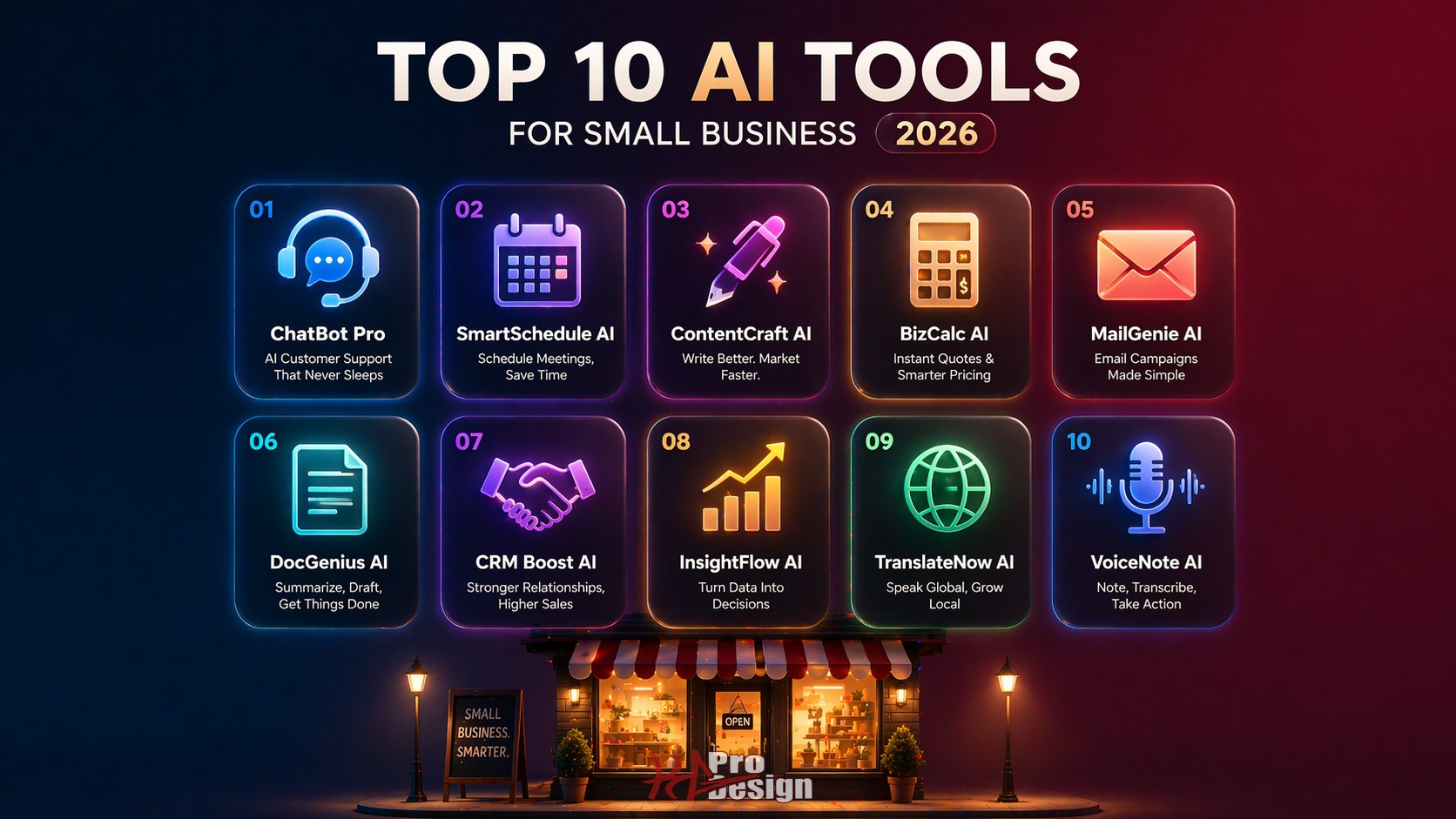
The 10 AI Tools
1. AI-Powered Customer Support
What it does: Automates customer service interactions using natural language processing. Modern AI support tools can triage tickets, answer common questions, escalate complex issues to human agents, and learn from every interaction to get better over time.
Tools to consider: Intercom Fin, Zendesk AI, Freshdesk Freddy. Pricing typically starts at fifty to one hundred dollars per month for small teams, with per-resolution pricing models becoming increasingly common.
Pros: Available around the clock without hiring additional staff. Handles repetitive questions instantly, freeing your team for complex issues. Improves over time as it learns from your knowledge base.
Cons: Still struggles with nuanced or emotionally charged interactions. Requires a well-maintained knowledge base to be effective. Customers can tell when they are talking to a bot, which can be frustrating if the bot cannot solve their problem.
Best for: Service businesses with high support volume and a large percentage of repetitive inquiries. If your team answers the same ten questions fifty times a week, AI support will pay for itself quickly.
2. Smart Scheduling and Appointment Booking
What it does: Goes beyond basic calendar booking. AI scheduling tools learn optimal scheduling patterns, predict no-shows, send intelligent reminders, and can even suggest rescheduling when cancellations create openings.
Tools to consider: Calendly (with AI features), Reclaim.ai, and industry-specific tools like Jane App for healthcare. Pricing ranges from free tiers with basic features to thirty to fifty dollars per month for AI-enhanced plans.
Pros: Reduces no-show rates through smart reminder timing. Eliminates back-and-forth scheduling emails. Some tools optimize scheduling density so you can fit more appointments into your day without double-booking.
Cons: AI scheduling works best with structured appointment types. If your scheduling needs are highly variable or context-dependent, the AI may not adapt well. Integration with existing calendar systems can occasionally create sync conflicts.
Best for: Healthcare practices, salons, consulting firms, and any business that relies on scheduled appointments as a primary revenue channel.
3. AI Content and Copywriting Assistants
What it does: Helps generate first drafts of blog posts, social media captions, email marketing copy, product descriptions, and other written content. Modern tools produce remarkably coherent output that requires editing rather than writing from scratch.
Tools to consider: Claude, ChatGPT, Jasper, Copy.ai. Pricing ranges from free tiers to fifty to one hundred dollars per month for business plans with higher usage limits and team features.
Pros: Dramatically reduces the time from blank page to first draft. Useful for businesses that know they should be creating content but do not have the bandwidth. Helps maintain a consistent publishing cadence.
Cons: AI-generated content still requires human oversight for accuracy, brand voice, and originality. Search engines penalize low-quality, mass-produced content regardless of how it was created. The risk is not that content is AI-generated, but that it lacks depth, originality, or genuine expertise. The output is only as good as the prompts and the editorial process.
Best for: Businesses without a dedicated marketing team that need to maintain a content presence. Think of AI as a first-draft machine, not a replacement for human judgment and expertise.
4. Automated Bookkeeping and Expense Tracking
What it does: Uses AI to scan receipts, categorize transactions, reconcile accounts, and flag anomalies. Some tools can predict cash flow patterns and alert you to potential shortfalls before they happen.
Tools to consider: QuickBooks Online (with AI features), Xero, Bench, FreshBooks. Pricing varies widely from fifteen dollars per month for basic plans to over one hundred dollars per month for full-service AI bookkeeping.
Pros: Reduces manual data entry by eighty percent or more. Catches categorization errors that humans miss through fatigue. Provides real-time financial visibility instead of waiting for monthly reports.
Cons: AI categorization is not perfect and still needs periodic human review. Complex accounting scenarios like multi-entity structures or industry-specific rules may exceed what AI can handle automatically. You still need an accountant for tax strategy and compliance.
Best for: Businesses spending more than five hours per week on bookkeeping tasks. The ROI is usually immediate and obvious.
5. AI-Driven Email Marketing
What it does: Optimizes every aspect of email marketing through AI. Subject line testing, send time prediction, audience segmentation, content personalization, and performance analysis all benefit from machine learning that improves with each campaign.
Tools to consider: Mailchimp (with AI features), Klaviyo, ActiveCampaign. Pricing typically starts at fifteen to thirty dollars per month and scales with list size.
Pros: Subject line optimization alone can increase open rates by fifteen to twenty-five percent. Send time prediction ensures emails arrive when recipients are most likely to engage. Segmentation identifies audience subsets you might not have recognized manually.
Cons: AI email marketing amplifies whatever you feed it. If your email list is low-quality, AI will optimize sending to people who do not want to hear from you. Personalization can feel invasive if overdone. Deliverability still depends on fundamentals like list hygiene and sender reputation.
Best for: E-commerce businesses and service providers with an email list of five hundred or more subscribers. The larger your list, the more impact AI optimization will have.
6. Intelligent Document Processing
What it does: Extracts structured data from unstructured documents. Scans invoices, analyzes contracts, pulls key information from forms, and converts paper-based records into searchable digital data.
Tools to consider: Adobe Acrobat AI, Docsumo, Rossum, Nanonets. Pricing ranges from free tiers for low volume to enterprise pricing for high-throughput processing.
Pros: Reduces manual data entry dramatically. Processes documents in seconds that would take a human minutes or hours. Accuracy improves over time as the system learns your document formats.
Cons: Handwritten documents and poor-quality scans still challenge most AI document processors. Initial setup requires training the system on your specific document types. Edge cases and unusual formats may require human review.
Best for: Legal firms, finance departments, healthcare practices, and any business that processes a high volume of paper or PDF documents.
7. AI Sales Assistants and CRM Enrichment
What it does: Enhances your sales process with AI-powered lead scoring, automated follow-up sequences, conversation intelligence that analyzes sales calls, and CRM data enrichment that fills in missing contact information.
Tools to consider: HubSpot (with AI features), Salesforce Einstein, Apollo.io, Gong. Pricing ranges from free CRM tiers with basic AI to hundreds of dollars per month for advanced sales intelligence.
Pros: Lead scoring helps your sales team focus on the prospects most likely to convert. Conversation intelligence identifies what language and approaches close deals. Automated follow-ups ensure no lead falls through the cracks.
Cons: AI lead scoring is only as good as your historical data. If your CRM is a mess, the AI will learn from messy data and produce unreliable scores. Sales teams sometimes resist AI tools, viewing them as surveillance rather than support. The best results come from teams that embrace the technology rather than fight it.
Best for: B2B companies with dedicated sales teams handling more than twenty leads per month. The higher the volume, the more valuable AI prioritization becomes.
8. Predictive Analytics for Inventory and Demand
What it does: Analyzes historical sales data, seasonal patterns, market trends, and external factors to predict future demand. Uses these predictions to recommend optimal inventory levels, purchasing schedules, and pricing adjustments.
Tools to consider: Inventory Planner, Flieber, Lokad. Pricing typically starts at two hundred to five hundred dollars or more per month for small businesses and scales with SKU count and complexity.
Pros: Reduces overstock (wasted capital) and stockouts (lost sales) simultaneously. Identifies seasonal patterns that manual analysis might miss. Can factor in external variables like weather, events, and competitor activity.
Cons: Requires clean historical data to produce accurate predictions. New businesses or businesses with highly volatile demand patterns may not have enough data for reliable forecasts. Predictions are probabilistic, not guaranteed, and should be one input into inventory decisions, not the only input.
Best for: Retail businesses, restaurants, and e-commerce companies managing inventory of fifty or more SKUs. The cost savings from optimized inventory levels often exceed the tool's subscription cost within the first few months.
9. AI-Powered Website Builders and Optimizers
What it does: Automates A/B testing, generates heatmap analysis, provides design recommendations, and in some cases, can build basic website layouts from prompts. Optimization tools continuously test variations of your pages to improve conversion rates.
Tools to consider: Unbounce (Smart Builder), VWO, Optimizely. Pricing ranges from fifty to three hundred dollars per month depending on traffic volume and features.
Pros: Automated A/B testing removes guesswork from design decisions. Heatmap analysis reveals exactly how visitors interact with your pages. Some tools can automatically implement winning variations without developer intervention.
Cons: AI website builders produce template-based results that work for simple sites but lack the sophistication needed for complex business applications. Optimization tools require meaningful traffic volumes to produce statistically significant results. If your site gets fewer than a thousand visitors per month, A/B testing will take too long to produce actionable data.
Important caveat: AI website builders are useful for getting started, but businesses with serious growth ambitions will eventually outgrow them. When that happens, custom web design built around your specific conversion goals delivers results that templates cannot match.
Best for: Businesses with established websites that get consistent traffic and want to incrementally improve conversion rates through data-driven optimization.
10. Voice AI and Virtual Receptionists
What it does: Answers phone calls with natural-sounding AI that can take messages, route calls, answer frequently asked questions, schedule appointments, and handle basic transactions. The technology has improved significantly and most callers cannot immediately distinguish AI from a human receptionist.
Tools to consider: Smith.ai, Ruby (with AI features), Dialpad AI. Pricing ranges from one hundred to three hundred dollars per month for small business plans.
Pros: Never miss a call, even outside business hours. Handles the routine calls that consume a disproportionate amount of your team's time. Professional first impression for every caller without hiring a full-time receptionist.
Cons: Complex or unusual requests still need human handling. Some customers prefer speaking with a person and may be put off by AI. Industry-specific terminology and context can trip up voice AI if not properly configured.
Best for: Small offices, solo practitioners, and service businesses that receive a high volume of calls but cannot justify a full-time receptionist. Particularly valuable for businesses where missing a call means losing a potential customer.
How to Choose the Right AI Tools
With this many options available, the temptation is to sign up for everything. Resist that impulse. Here is a more strategic approach.
Start with your biggest time sink. Look at where your team spends the most time on repetitive, low-value tasks. That is where AI will deliver the most immediate ROI. If your team spends ten hours a week on bookkeeping, automated bookkeeping pays for itself almost instantly. If customer support is consuming your afternoons, AI support tools are the priority.
Calculate ROI before committing. For every tool, estimate the time savings or revenue impact against the subscription cost. A tool that costs one hundred dollars per month but saves five hours of work per week is worth it if those hours are worth more than twenty-five dollars each (they almost certainly are).
Integrate, do not replace. AI tools work best when they augment your existing team and processes rather than replacing them entirely. AI handles the routine work. Humans handle the judgment, creativity, and relationship-building that AI cannot replicate. The businesses that get the most value from AI are the ones that use it to free up their people for higher-value work, not to eliminate people altogether.
When Custom AI Solutions Make More Sense
Off-the-shelf AI tools share the same fundamental limitation as off-the-shelf software in general: they are built for the average user, not for your specific business.
If your workflows are unique, if your data is proprietary, or if the AI tools on the market do not integrate with your existing systems, a custom AI solution may deliver significantly better results. Custom AI workflows can be trained on your data, built into your existing applications, and designed to automate the specific processes that matter most to your business.
We help businesses evaluate where off-the-shelf AI tools are sufficient and where custom automation and AI solutions would deliver a better return on investment. The answer is different for every business, and it depends on your specific workflows, data, and growth plans.
Ready to Put AI to Work for Your Business?
AI is not a future technology. It is a present-day competitive advantage, and the gap between businesses that adopt it strategically and those that ignore it is widening every quarter.
The key word is strategically. Adopting AI tools without a clear plan leads to subscription bloat and underwhelming results. Adopting them with a focused strategy, starting with your biggest pain points and measuring results, leads to meaningful time savings and revenue growth.
Contact us to discuss which AI tools make sense for your business and where custom automation could take your operations to the next level. We will help you build an AI strategy that fits your budget, your team, and your growth goals.